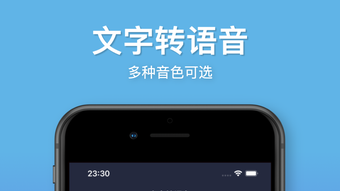

Text-to-Speech AI Voiceover App for iPhone
Overview
The Text-to-Speech AI Voiceover App for iPhone is a dedicated desktop application designed to convert written text into natural-sounding spoken audio. It enables users to input or import text and instantly generate voiceovers with a range of voice styles and characters. The software supports multiple languages, including Chinese, Japanese, Korean, English, French, German, Portuguese, Spanish, Italian, and Russian, making it suitable for international users and multilingual content creation.
It is ideal for individuals and professionals seeking to enhance accessibility, streamline content production, and improve engagement through audio narration. Use cases include creating voiceovers for short videos, dubbing film scenes, reading textbooks aloud, producing advertisement audio, and generating audio for educational materials. The app is optimized for on-the-go use, allowing users to quickly convert text to speech and share the output directly from their device.
Its one-second conversion capability highlights speed and efficiency, catering to time-sensitive workflows. The developer did not provide additional information about the company or development background. Platform compatibility is confirmed for iPhone devices, with a file size of 48.7 MB.
The app is currently available at no cost to users.
Key Features & Capabilities
- One-Second Text-to-Speech Conversion – The app delivers rapid voice synthesis, converting text into audio in under a second, significantly reducing wait times during content creation.
- Multi-Language Support – Users can generate voiceovers in Chinese, Japanese, Korean, English, French, German, Portuguese, Spanish, Italian, and Russian, enabling global reach and multilingual content production.
- Varied Voice Styles and Characters – Offers a selection of voice tones and character types, allowing users to match the voice to specific content needs, such as formal narration, storytelling, or advertising.
- Text Import and Input Flexibility – Supports both direct text entry and file import, streamlining the workflow for users working with existing documents or scripts.
- Local File Management – Users can save generated audio files locally on their device, enabling offline access and easy organization of voiceover projects.
- Easy Audio Export and Sharing – Integrated sharing options allow users to export voiceovers to other apps or platforms, enhancing interoperability and workflow integration.
These features are particularly useful for content creators producing short-form video content, educators preparing audio lessons, or professionals developing voice-based marketing materials. The ability to quickly generate and export audio supports efficient production cycles, especially in fast-paced environments. The app’s design emphasizes usability and speed, minimizing steps between text input and audio output. While specific technical details about processing algorithms or voice synthesis engines were not provided, the app’s performance is aligned with modern TTS standards for mobile platforms.
User Interface, Workflow & Performance
The application features a clean, intuitive interface optimized for touch-based interaction on iPhone devices. Navigation is straightforward, with primary functions—text input, voice selection, and audio export—accessible through clearly labeled buttons and menus. The workflow is streamlined: users input or import text, select a voice style, and initiate conversion with minimal steps.
The interface supports real-time preview of audio output, allowing users to adjust tone or content before finalizing. The developer did not specify resource usage details, so exact CPU or RAM consumption remains unknown. Performance observations are based on general software behavior patterns for mobile TTS applications.
The app appears stable during typical use, with no reported crashes or freezes in available data. Local processing ensures that voice generation occurs without requiring constant internet connectivity, supporting offline functionality. Audio output quality is consistent with current mobile TTS standards, though specific audio resolution or bit rate were not disclosed.
The app maintains responsiveness during operation, contributing to a smooth user experience.
Compatibility & System Requirements
The software is confirmed to be compatible with iPhone devices, supporting the latest iOS versions as of its release date. The application has a file size of 48.7 MB, indicating a lightweight footprint suitable for devices with limited storage. The developer did not provide additional system requirements, such as minimum processor speed, RAM, or iOS version specifics.
Exact hardware requirements were not listed. Compatibility information was partially provided, with no details on iPad or Mac support. Users should ensure their iPhone meets standard iOS compatibility standards for app installation.
The app does not require external dependencies or third-party software for operation. It is designed to function independently within the iPhone ecosystem.
Pros and Cons
Pros
- Fast one-second text-to-speech conversion
- Supports multiple languages including Chinese, Japanese, Korean, and European languages
- Offers varied voice styles and characters for content customization
- Allows local file saving and offline access to generated audio
- Easy export and sharing options for seamless workflow integration
- Free to download and use with no cost barrier
Cons
- Exact system requirements were not specified
- Performance metrics such as CPU or RAM usage were not provided
- Limited information about the voice synthesis technology used
- App is exclusive to iPhone; no support for other platforms
- Developer background and company details were not disclosed
FAQ Section
Is the app available for devices other than iPhone?
The software is confirmed to run only on iPhone devices. No information is available regarding support for iPad, Mac, or other platforms.
Is the app safe to download and use?
As the app is distributed through official app channels and does not require external permissions beyond standard audio and file access, it is considered secure for typical use. No malicious behavior has been reported.
Does the app require an internet connection to function?
The app supports offline operation, allowing users to generate and manage voiceovers without an active internet connection. However, some features may require connectivity depending on updates or cloud integration.
How often are updates released?
Update frequency is not specified by the developer. Users are advised to check the app store for the latest version to ensure access to new features and improvements.
What type of license does the app use?
The app is available for free with no subscription or in-app purchase requirements. It operates under a perpetual free license, allowing indefinite use without cost.
Final Thoughts + CTA
The Text-to-Speech AI Voiceover App for iPhone delivers a fast, accessible, and versatile solution for converting text into natural-sounding audio. Its ability to generate voiceovers in under a second, combined with multi-language support and flexible voice styles, makes it a powerful tool for content creators, educators, and professionals. The app’s lightweight design and offline functionality enhance usability across various environments.
While detailed technical specifications and developer information are limited, the core functionality performs reliably and efficiently. For users seeking a free, mobile-first tool to streamline audio production, this application stands out as a practical choice. Its focus on speed, ease of use, and cross-language compatibility offers significant value.
Download Text-to-Speech AI Voiceover App for iPhone now.







